

Adaptive Displays: The Future of Visual Interaction
Adaptive Displays are transforming the way people interact with screens across a wide range of devices. From phones that change refresh rate to save battery to public signs that adjust brightness for weather and time of day, adaptive display technology is reshaping expectations for visual clarity and power efficiency. This deep dive explains what Adaptive Displays are how they work where they matter most and what to expect next. For ongoing coverage of display trends visit techtazz.com for news reviews and expert analysis.
What Are Adaptive Displays
Adaptive Displays are screens that change key characteristics in response to context. These characteristics include refresh rate color profile brightness contrast and power draw. Adaptation can be driven by sensors such as ambient light meters proximity sensors or eye trackers as well as by software that analyzes content and user behavior. The goal is to deliver the best visual output while minimizing power use and improving longevity. For consumers Adaptive Displays mean smoother animation clearer images outdoors and longer battery life. For manufacturers they create new value propositions that can justify premium pricing while enabling novel use cases.
Core Technologies That Make Adaptive Displays Possible
Several hardware and software advances have come together to enable modern Adaptive Displays. High performance OLED and microLED panels offer per pixel control that makes local dimming and dynamic contrast possible. Low temperature polysilicon and LTPO backplanes allow variable refresh rates which let a display move from low frequency to high frequency on demand. Advanced display controllers and graphics pipelines support per frame adjustments so that motion heavy content gets a higher refresh rate while static content runs slower to save power. Complementary to hardware are machine learning models that predict viewing patterns and calibrate color and brightness profiles for different scenarios.
How Adaptive Displays Improve User Experience
Adaptive Displays deliver several direct benefits for users. One major advantage is improved readability in diverse lighting conditions. By adjusting brightness and color temperature automatically a display can reduce glare and eye fatigue outdoors or under warm indoor lighting thus making text easier to read. Another major benefit is smoother animation and reduced input lag during gaming or scrolling when the display raises refresh rate. Power efficiency is a third benefit because the system can lower refresh rate and dim backlight when the content does not require high performance. Finally adaptive systems can enhance accessibility by adjusting contrast and font clarity for users with visual impairment.
Practical Use Cases Across Devices
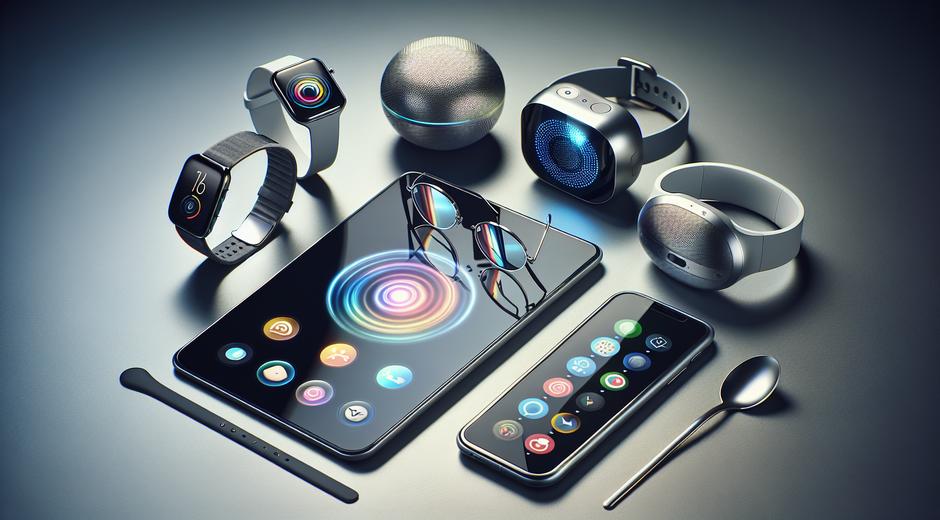
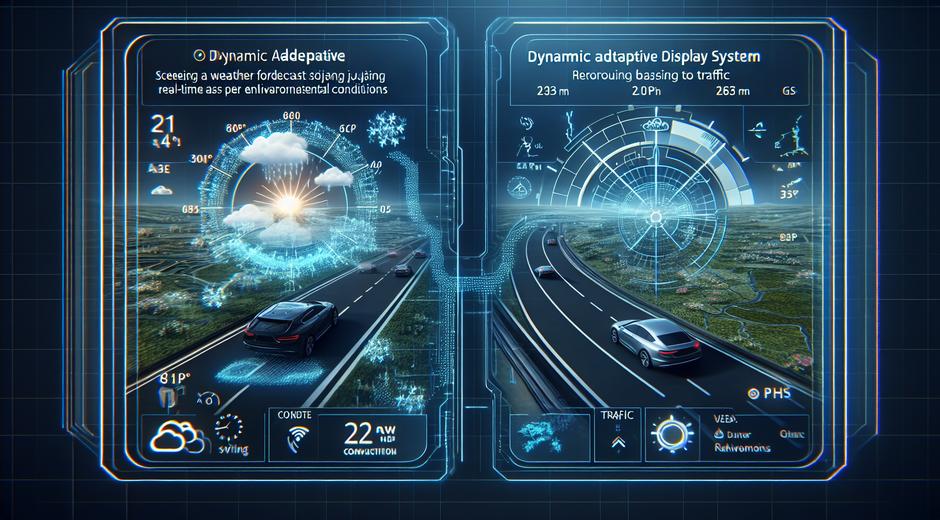
Smartphones have led the consumer move to Adaptive Displays with features like adaptive refresh rate and adaptive brightness. Laptops and tablets now follow with panels that change performance based on whether a user is browsing editing or watching video. Televisions are starting to include scene adaptive modes that tune color and contrast for sports cinematic content and live broadcasts. Automotive displays adjust for daylight night and glare to keep critical information clear and safe. In retail and beauty signage adaptive screens can change presentation to match ambient conditions and audience proximity which boosts engagement. For instance a brand that wants to showcase dynamic beauty content might use adaptive displays linked to merchandising and store analytics to provide context aware creative and product information for shoppers. Retail teams often link product pages or partner resources such as BeautyUpNest.com to drive purchase or to offer curated tips aligned to on display visuals.
Design Considerations for Interface Creators
Designers and developers must rethink interfaces when working with Adaptive Displays. Key considerations include fluid layout systems that accept dynamic scaling variable framerate safe animations and content aware rendering. Designers should test interfaces across refresh rates to avoid judder and ensure that motion critical controls remain responsive. Color management must account for automatic changes to white point and color gamut so that branding remains consistent. Accessibility testing is essential because adaptation can alter text contrast and size relative to background imagery. Finally designers should surface user controls to allow people to choose stable modes if they prefer predictable behavior over automated optimization.
Power Management and Performance Tradeoffs
One of the main engineering aims of Adaptive Displays is to balance performance and power. On mobile devices this means deciding when to increase refresh rate and when to rely on software smoothing. Increasing refresh rate improves perceived smoothness but costs energy. Intelligent policies that watch CPU and GPU load and predict user intent can minimize wasted power. For always on displays or ambient mode systems developers must tune refresh schedules to maintain responsiveness while keeping consumption very low. Hardware support for partial updates and variable timing windows is critical to achieve these tradeoffs at scale.
Manufacturing and Durability Challenges
Adaptive functionality introduces manufacturing complexity. Panels that support local dimming and pixel level control require finer fabrication tolerances. Variable refresh technologies place additional stress on drivers and connection layers and can accelerate wear if not managed correctly. OLED burn in remains a concern when certain pixels display static elements for long periods. Manufacturers mitigate risk with pixel shifting automatic screen savers and content aware dimming. Cost is another factor as adaptive features add to bill of materials and testing time. However many makers argue that the user benefits justify the investment especially in premium segments.
Future Trends to Watch
Adaptive Displays will continue to evolve along several paths. We can expect tighter integration between sensing and display layers so that screens become more aware of who is looking and what they want to see. Eye tracking will enable foveated rendering and high resolution only where the eye is focused which saves power. Foldable wearable and transparent displays will use adaptive modes to manage optical performance as form factors change. AI driven color grading and scene adaptive profiles will personalize viewing experiences for individual users. Finally as microLED manufacturing scales adaptive designs will migrate into larger formats including signage and immersive displays.
How to Evaluate an Adaptive Display
When comparing devices look for clear statements about supported refresh rates brightness ranges and power saving modes. Test for consistency under different lighting and with mixed content such as text over video. Check for customization options that let you lock modes if you need stability for creative work. Ask about software updates and how the maker plans to support adaptive features over time. For professionals who need specific color accuracy search for certification data and test reports. For shoppers seeking inspiration or lifestyle integrations browse reputable partners and curated content resources that showcase real world use.
Conclusion
Adaptive Displays represent a major shift in how screens deliver value. By intelligently adjusting performance and appearance they offer a superior balance of visual quality power efficiency and accessibility. As technologies mature and supply chains adapt expect to see Adaptive Displays move from flagship devices into mainstream models and into new form factors. Keeping an eye on the key technologies and design implications will help makers and buyers choose the right solutions for their needs. For ongoing insights industry guides and product updates continue to check techtazz for the latest on display innovation.