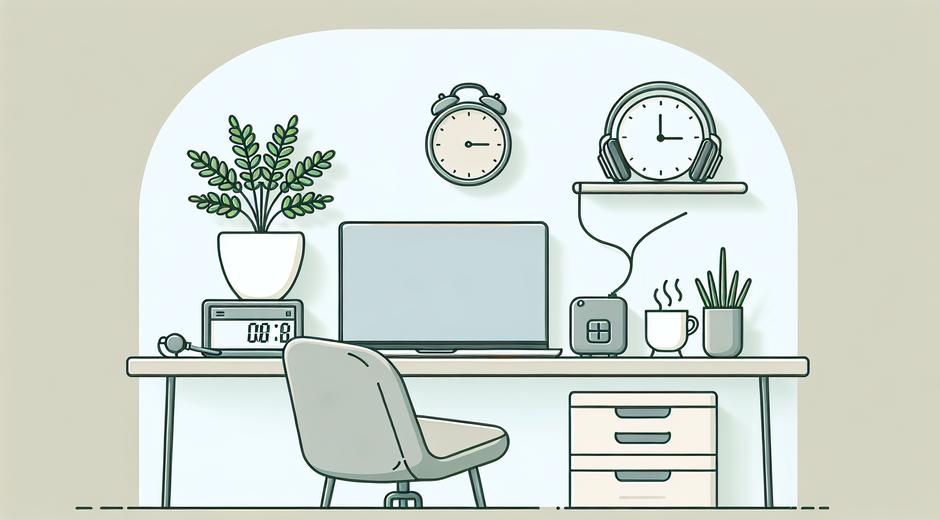


Focus Mode Setup: How to Build a Distraction Free Workflow
Creating a reliable focus mode setup is one of the most effective ways to increase productivity and regain control of your day. Whether you are a remote worker, a student, a creator or a manager, a well designed focus mode setup helps you reduce interruptions and get deeper into meaningful work. This guide explains the essential software and hardware settings and offers practical routines you can adopt today.
Why a Focus Mode Setup Matters
Attention is a limited resource. Modern devices were designed to keep you engaged, not to help you finish tasks quickly. Notifications, open tabs and an unstructured workspace make it easy to move from one shallow task to another. A focus mode setup reduces context switching and preserves mental energy for the tasks that matter. This improves output quality and reduces time spent on work that has low impact.
Core Principles to Build Your Focus Mode Setup
Every successful focus mode setup is built on a few simple principles. Use these as a checklist when you design your environment and routines.
- Minimize interruptions by controlling notifications on all devices.
- Create predictable time blocks that are dedicated to focused work.
- Keep your workspace tidy to lower cognitive load.
- Use simple tools that align with your workflow instead of overloading on features.
- Measure results and adjust the setup over time.
Device Settings and Apps to Enable Focus
Most operating systems include built in tools that support a focus mode setup. Learn how to use these controls so they work for your schedule rather than against it.
Desktop and Laptop
On desktop platforms look for features that mute notifications for selected time windows. Use do not disturb or focus assist features to silence alerts while you work. Set up rules so that calendar events can automatically enable focus mode. In addition to system tools, consider using a dedicated app that blocks distracting websites and limits access to social networks for selected blocks of time.
Mobile Devices
Mobile phones are a common source of distraction. Configure focus settings that allow only essential contacts to reach you. Move non critical apps off the home screen and into folders to reduce temptation. Use app timers to limit time on entertainment apps and enable grayscale mode if you need a visual cue to reduce use.
Browser Extensions
Browsers can be a time sink when tabs multiply. Choose a lightweight extension that hides social feeds and blocks specific domains during focus sessions. Many extensions also offer a simple whitelist so you can access only the sites that support the task at hand. Keep tab usage minimal and use bookmarks for resources you need during a session.
Workflow Structure for Long Term Focus
A reliable focus mode setup depends on a structure for how you work. Define a rhythm for the day that balances deep focus with short breaks and transition tasks.
- Plan your day with a clear priority list. Pick one top task for each focus session.
- Use blocks of time from 25 minutes to 90 minutes depending on your stamina and task complexity.
- Schedule short breaks of five to fifteen minutes between blocks to reset attention.
- Reserve one block for planning and review each day to refine the next focus sessions.
Physical Environment Tips
Digital control is only part of a full focus mode setup. The physical environment plays a major role in how productive you can be.
Design a workspace that is comfortable and distraction lean. Remove devices that are not required for the task. Use a simple signal to others when you are in a focus session such as a sign on the door or headphones with a visible light. Lighting matters too. Natural light helps, and a consistent lamp can provide steady light for late sessions. Maintain an ergonomic posture and consider a stand or riser to position screens at eye level.
For readers who invest in better seating and desk accessories, a partner that specializes in ergonomic products can help you complete your physical focus mode setup. For example reliable suppliers offer chairs and support tools that make long focus sessions more comfortable. If you want to explore trusted wellness items check BodyWellnessGroup.com for options that support posture and comfort.
Strategies to Manage Digital Clutter
Icons and open files compete for attention. Adopt a minimal file and app arrangement that supports quick context shifts without creating new distractions.
- Keep the desktop clear. Use folders and a consistent naming scheme to find documents quickly.
- Close unused tabs and windows. Use a session manager if you need to restore them later.
- Archive emails that do not require immediate action and use filters to route messages into actionable lists.
- Limit the number of active projects to maintain mental clarity.
Routines and Rituals to Enter Focus
Rituals help your brain switch from passive checks to active concentration. A short pre focus routine signals that it is time to work deeply.
- Prepare a single task list for the session and remove items that are likely to derail you.
- Close apps that are not needed and set focus tools to active.
- Hydrate and adjust your workspace so you will not need to leave in the first twenty to sixty minutes.
- Start with a quick two minute planning step to set a clear goal for the session.
Tools That Complement a Focus Mode Setup
Choose tools that simplify rather than complicate. The ideal tool lets you capture ideas quickly and return to deep work without losing momentum.
- A minimalist task manager for daily priorities.
- A distraction blocker for browsers and apps.
- A timer or Pomodoro app to track sessions and breaks.
- A reference folder or note app that holds research and reusable snippets.
Measure Results and Iterate
Use simple metrics to evaluate how well your focus mode setup performs. Track the number of uninterrupted focus sessions completed each week and the progress on core projects. If you notice frequent interruptions identify the source and update your rules. Small changes such as adjusting notification settings or shortening session duration can produce large gains in consistency.
Common Obstacles and Practical Fixes
Even with a strong focus mode setup you will encounter challenges. Below are common problems and quick fixes.
- If you find yourself checking devices out of habit add friction such as placing the phone in another room.
- If meetings fragment your day block meeting free focus time on the calendar and protect that time consistently.
- If you feel tired reduce session length or add a short physical routine to boost alertness.
- If tasks feel unclear spend five minutes clarifying the next action before you begin.
How to Keep the Setup Fresh
A focus mode setup should evolve with your work. Review the setup every month to ensure tools and routines still serve your goals. Try one change at a time and observe the impact for a week. Over time this iterative approach will create a customized system that matches your natural rhythms and responsibilities.
Where to Learn More
If you want more in depth tech guides and setup walkthroughs visit our resource center at techtazz.com for curated advice and product reviews. The articles there provide smart tips for software configuration and space design so you can refine your focus mode setup with confidence.
Conclusion
A thoughtful focus mode setup brings together technology settings, workspace design and disciplined routines. By controlling interruptions, structuring your day and investing in a few key tools you can increase deep work time and complete meaningful projects faster. Start with small changes, measure results and iterate. In time your focus mode setup will become the foundation of a calmer more productive workflow.